How do I stop scheduled reports?
You can turn off scheduled reports from the My Reports panel. Click on the settings gear next to the scheduled report that you don't want to be sent out anymore and select "Edit Report".
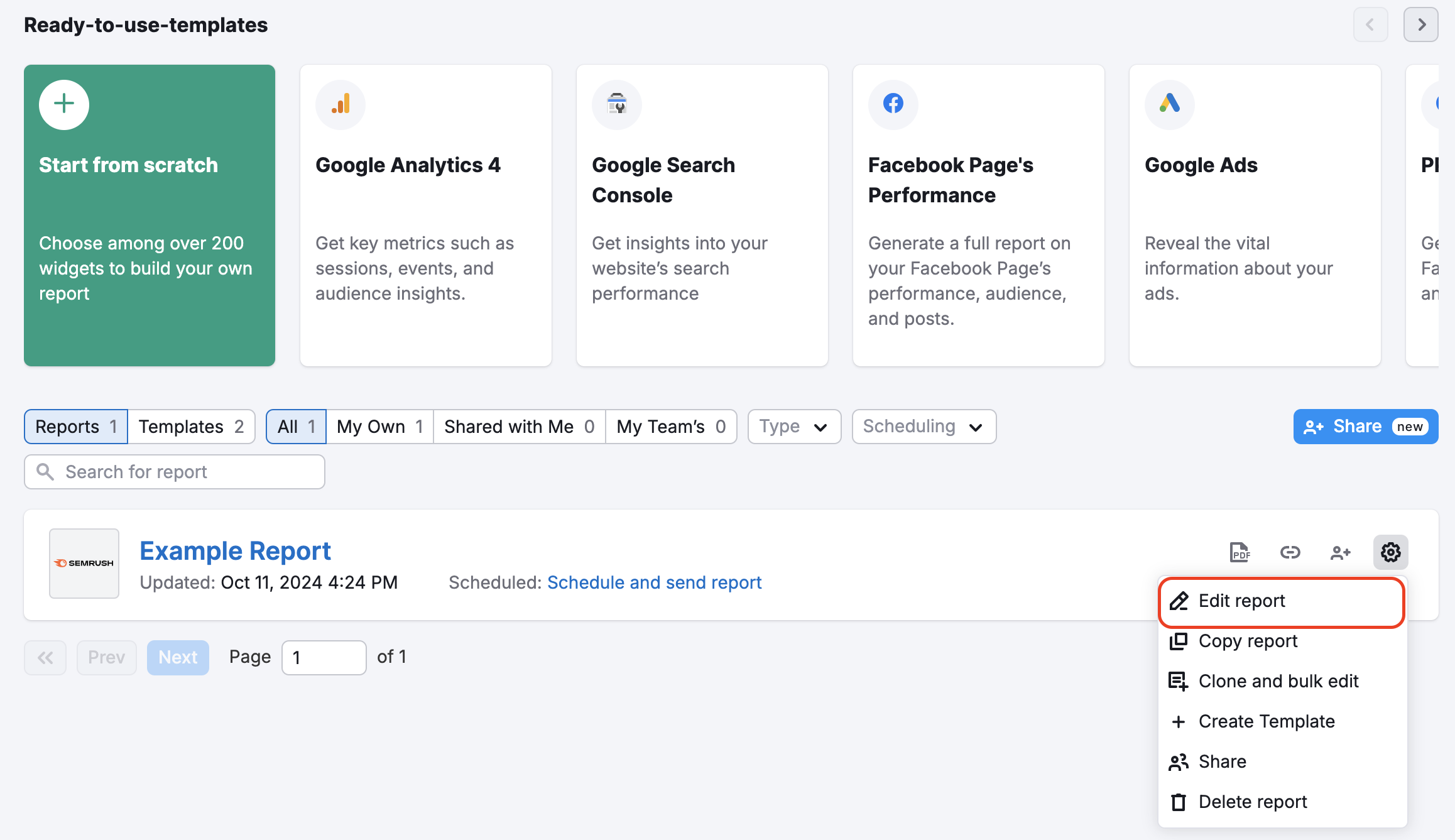
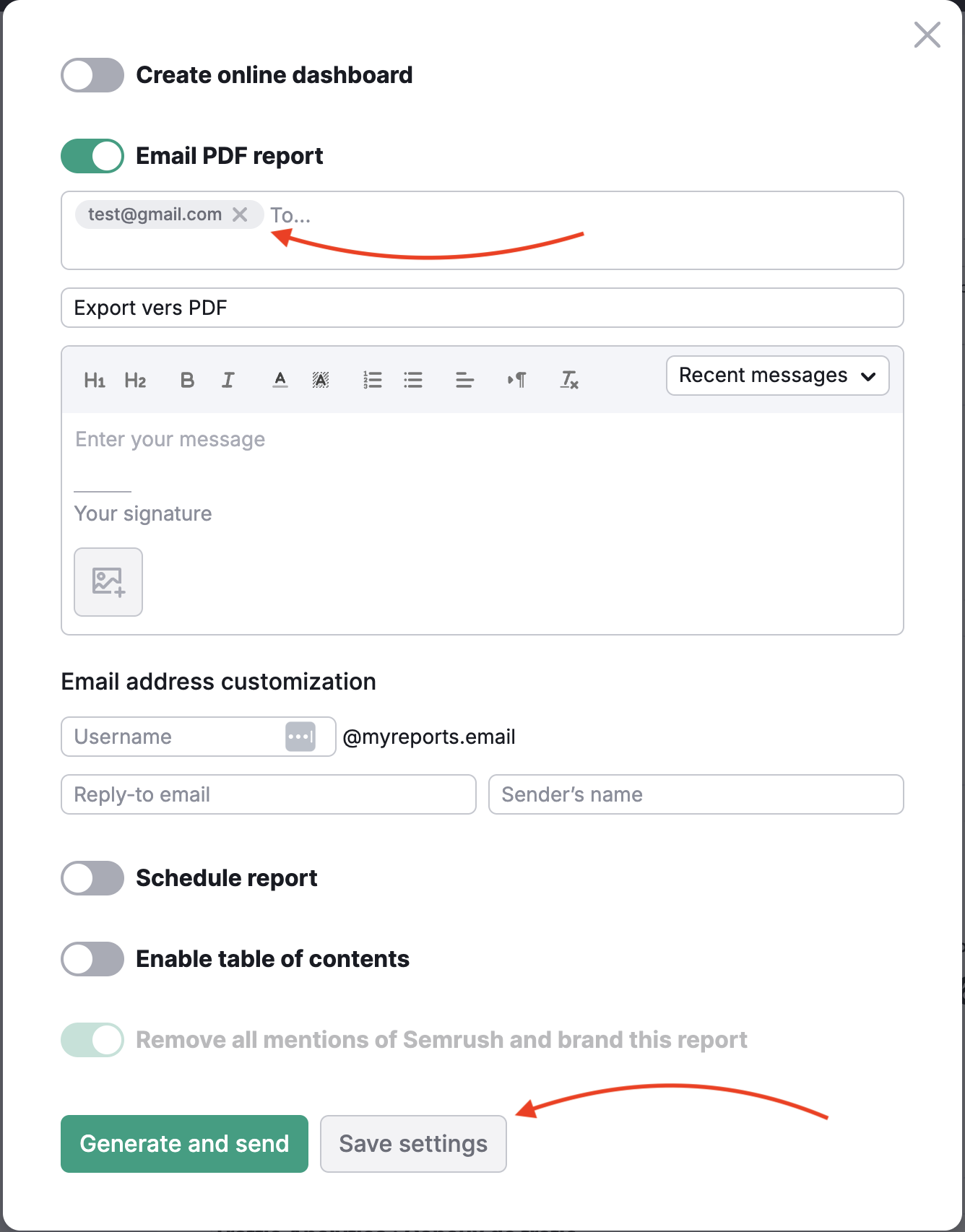
When this report opens, click on the green “Generate PDF report” button in the upper right corner. Instead of instantly generating a report, you will be redirected to the report’s settings where you will be able to apply the necessary changes. Uncheck the field “Schedule report” and click on “Save Settings''.

From the same menu, you can remove recipients of the report if you want to stop sending out reports to particular users. Click on the little cross mark to remove an email and press “Save Settings”.
- How do I stop scheduled reports?
 돌아가기: Semrush Toolkits 카테고리
이 게시글이 유용했나요?