Semrush MCP를 AI에 연결하기
세계에서 가장 강력한 트래픽, 가시성, 시장 데이터 세트가 모두 탑재된 AI 어시스턴트를 만나보세요.
Semrush One을 무료로 체험해 보세요
SEO 권위와 AI 가시성을 통합하는 선도 플랫폼입니다.
지금 티켓을 확보하세요
단 하루. 성공적인 마케팅을 위한 핵심 전략을 공유합니다.
2026년 10월 13일런던, 영국
지식 베이스
Semrush 툴킷
SEO
포지션 추적
How do I use custom triggers in Position Tracking?

How do I use custom triggers in Position Tracking?

Custom triggers let you set up notifications that alert you when your campaign experiences notable changes in organic positions (not paid positions) in Position Tracking. These triggers can be set up from the settings within your campaign.
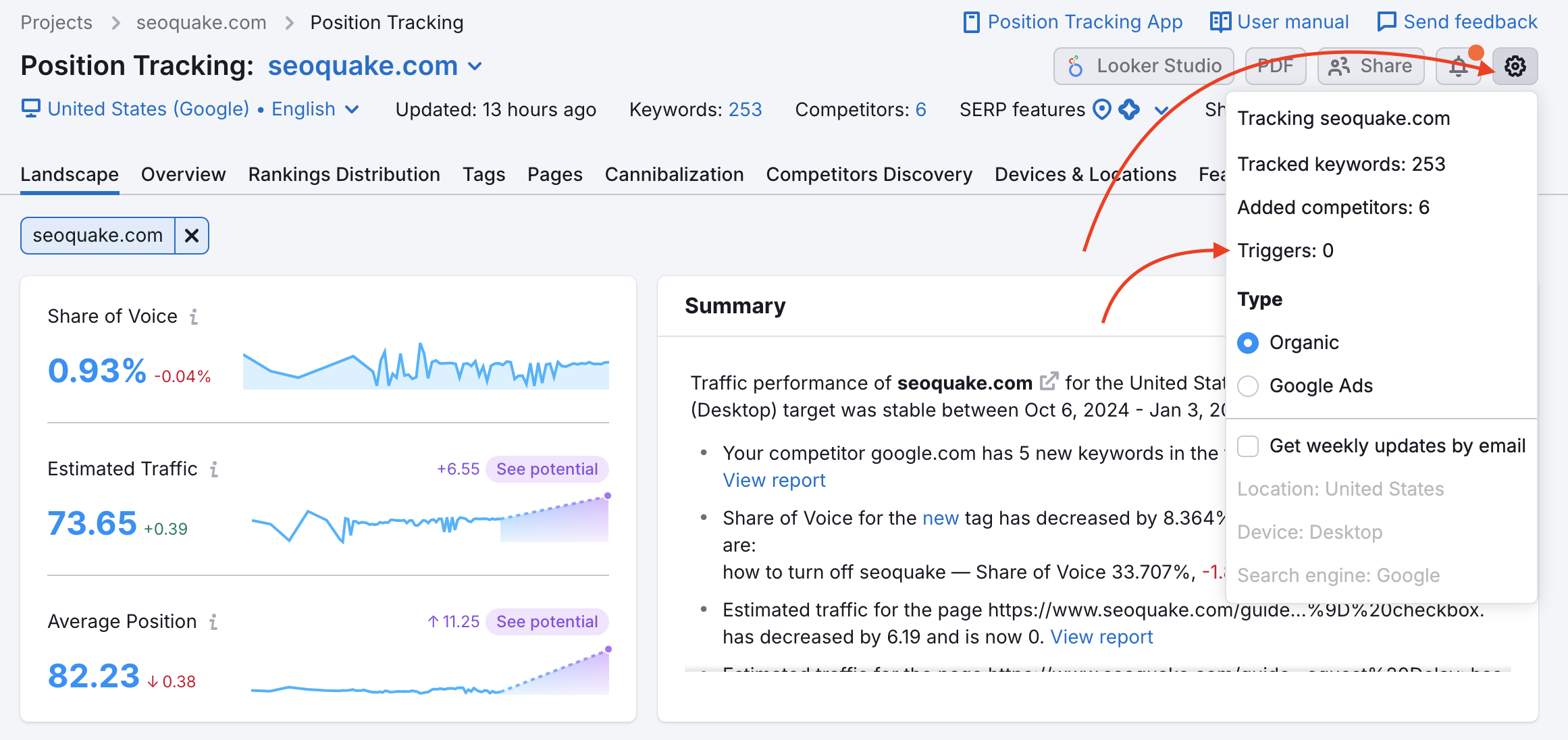
Triggers in the Position Tracking menu

Open the gear and select Triggers. Choose the parameters of your alert and hit “Add.” You can add up to 10 triggers to a campaign.
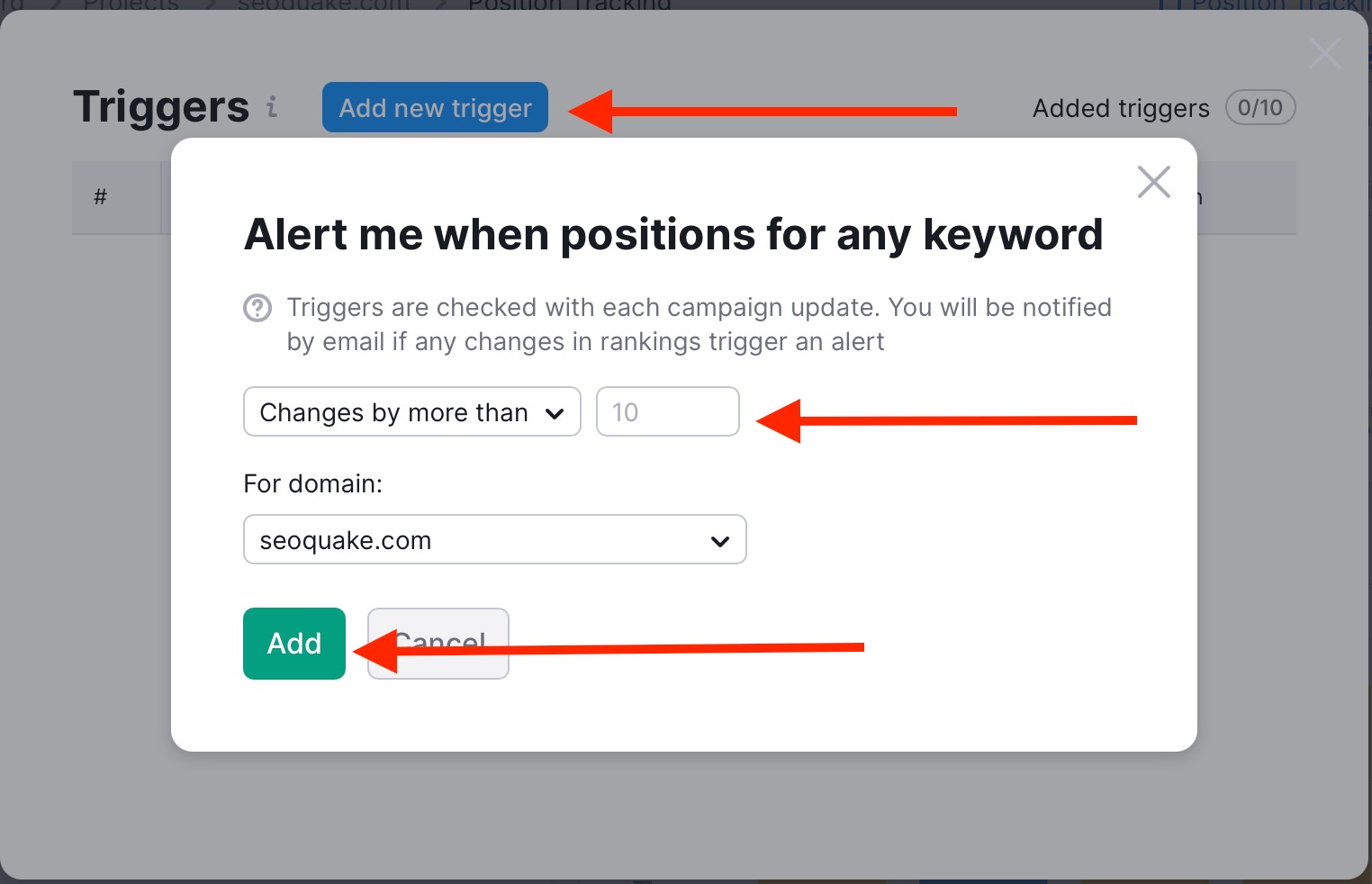
How do I use custom triggers in Position Tracking? image 2

When the trigger is tripped, you will be sent an email notifying you of the change.

This makes it easier to follow a campaign's progress because you won’t have to log in to Semrush and check your project every day to see if there were any important changes.

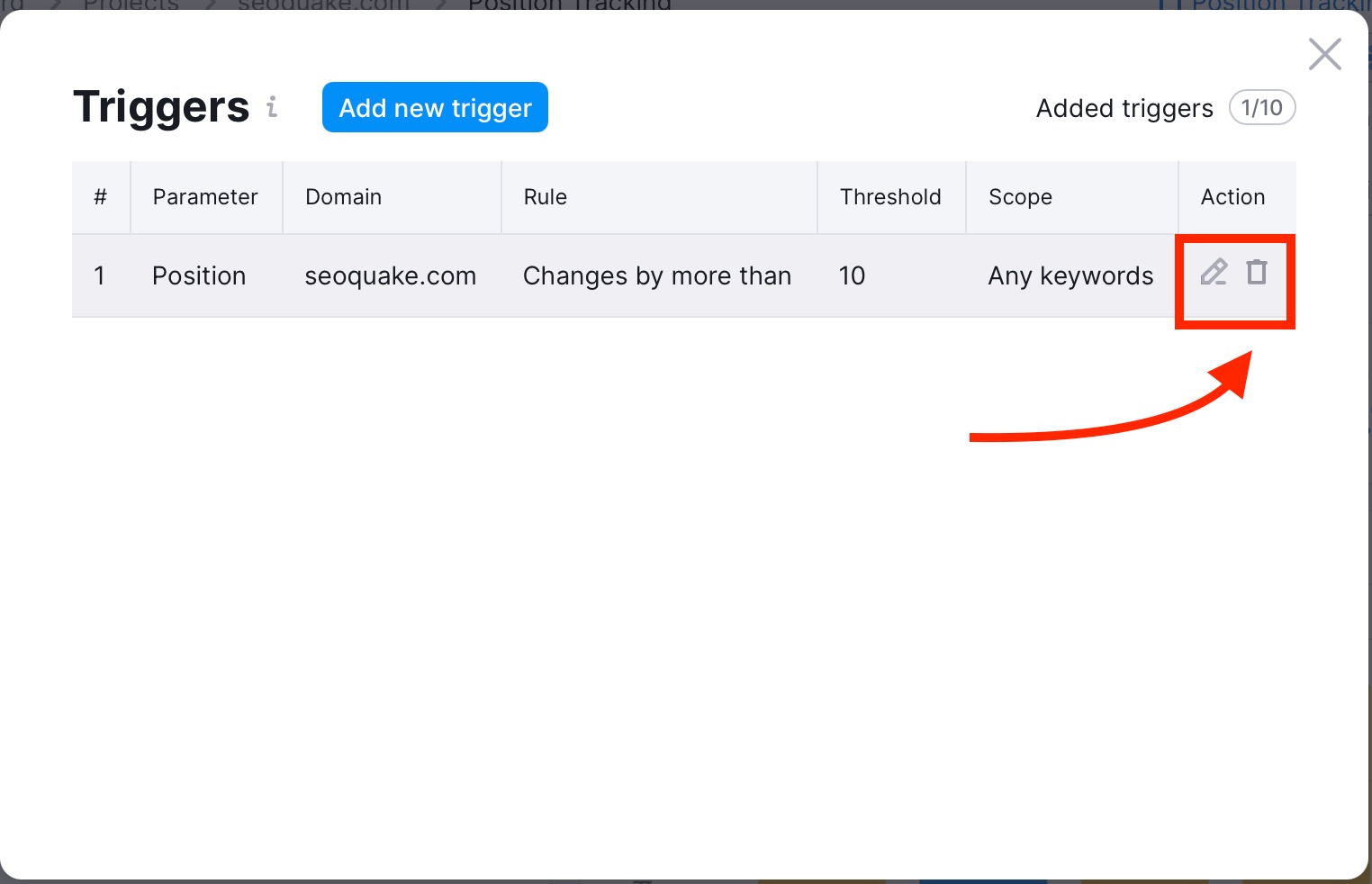
Manage or stop trigger notifications

If you no longer want to receive notifications about changes in your Position Tracking campaign, you can manage your triggers directly from the Triggers menu.

To do this:

  • Go to your campaign settings and open Triggers
  • Locate the trigger you want to modify
  • In the Action column, choose to edit or delete the trigger

How do I use custom triggers in Position Tracking? image 3

Not receiving trigger notifications?

If you’re not receiving Position Tracking trigger notifications, make sure that these notifications are enabled in your account settings.

To check this:

  • Go to Profile settings → Notifications
  • Find Position Tracking in the list
  • Ensure notifications are turned on

Notification limitations

Please note the following limitations for Position Tracking trigger notifications:

  • Notifications are sent only to the email address associated with your Semrush account—changing the recipient email, or adding additional recipient emails, is not supported.
  • Position Tracking does not currently support integrations with Slack, Microsoft Teams, or other messaging platforms for trigger notifications.